|
Showing posts with label Ubuntu. Show all posts
Showing posts with label Ubuntu. Show all posts
How do I import csv files into my databaseIn some cases you may need to import the csv files to your database. If you are having excel file just
First you need to login to the mysql command prompt and you need to type the following commands to import To import the datafile, first upload it to your home directory, so that the file is now located at /importfile.csv on our local system. Then you type the following SQL at the mysql prompt:  mysql > mysql > LOAD DATA LOCAL INFILE '/importfile.csv' INTO TABLE test_table FIELDS TERMINATED BY ',' LINES TERMINATED BY '\n' (field1, filed2, field3);The above SQL statement tells the MySQL server to find your INFILE on the LOCAL filesystem, to read each line of the file as a separate row, to treat any comma character as a column delimiter, and to put it into your MySQL test_table as columns field1, field2, and field3 respectively.
If you need to take a csv or other delimited data file and import it INTO MySQL, you can write your own script to do it Installing gtalk in ubuntu - (Google talk)
You can use gtalk in ubuntu
Just do the following 1. check for gtk2.0 and qt4 $ sudo apt-get install libgtk2.0-dev $ sudo apt-get install libqt4-dev 2. Remove 'pulse audio sound server' Open synaptic package manager and remove pulse audio $ tar -zxvf gtalx.tar.gz5. Get into the directory.... $ cd gtalx and then... $ sudo chmod u+x make $ ./make $ sudo ./make install 6. Enjoy..... Please comment about your installation(whether it was a success or not....) Take gtalx from Applications > Internet > gtalx Enter your gmail login information..and click connect... 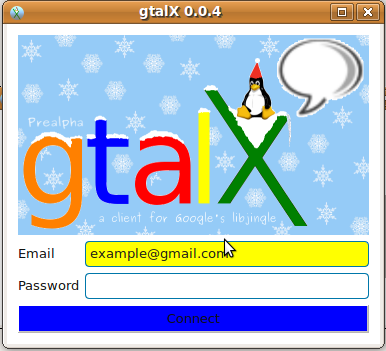 After successful login your online gmail buddies will be listed... Click the "Contact" button to "chat or call" that person..  Upon clicking the contact button you will be shown a screen like this.... If you need to chat..type your message and click "send"... If you want to talk..click 'call".... Enjoy....It worked successfully for me... Any problem please do comment me
Subscribe to:
Posts (Atom)
Follow Us on Twitter

|


